How to Use Digital Washi Tape: A Complete Guide
~Digital washi tape has become a staple for anyone who loves creating beautiful digital planners and journals. These virtual decorative strips offer all the charm of physical washi tape without the expense, mess, or running out. Here's everything you need to know about using digital washi tape to elevate your digital planning.
What Is Digital Washi Tape?
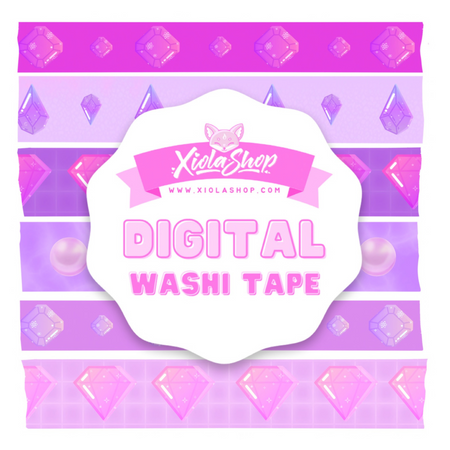
Digital washi tape consists of PNG image files designed to look like decorative tape strips. They feature:
- Transparent backgrounds for seamless layering
- Decorative patterns, textures, and designs
- Various widths and lengths
- Realistic tape textures that mimic physical washi
Getting Digital Washi Tape
Where to Find It
- Our digital stationery collection - Curated sets designed for digital planning
- Etsy - Thousands of creators selling unique designs
- Creative Market - Professional-quality bundles
- Free resources - Many creators share freebies
What to Look For
- PNG format - Ensures transparent background
- High resolution - 300 DPI for crisp printing if needed
- Coordinating sets - Matching patterns look cohesive
- Variety of widths - Thin for accents, wide for borders
Using Washi Tape in Popular Apps
GoodNotes
- Import tape images to your Elements library
- Tap the Elements tool (sticker icon)
- Navigate to your washi tape collection
- Tap to place, then resize and rotate as needed
- Create a dedicated "Washi Tape" element collection for quick access
Notability
- Tap the + button and select "Image"
- Import your washi tape file
- Resize using corner handles
- Rotate with two-finger gesture
Procreate
- Import tape as a new layer
- Use Transform tool to resize and position
- Set layer blend mode if desired
Creative Ways to Use Digital Washi Tape
Page Decoration
- Header accents - Place tape strips above titles
- Page borders - Frame your content
- Section dividers - Separate different areas
- Corner accents - Add interest to empty corners
Functional Uses
- Tab markers - Create faux tabs on page edges
- Date highlights - Draw attention to important dates
- Task categories - Use different tapes for work, personal, etc.
- Priority flags - Mark urgent items
Photo and Image Styling
- Create a "taped photo" effect in journals
- Use as decorative frames
- Layer under photos for visual interest
Design Tips for Beautiful Results
Color Coordination
- Stick to 2-3 tape patterns per page
- Match tape colors to your theme
- Use neutral tapes with bold stickers
- Create seasonal collections (pastels for spring, warm tones for fall)
Placement Principles
- Angle tapes slightly for a casual, realistic look
- Overlap tape ends naturally
- Balance tape placement across the page
- Don't cover important content
Layering Techniques
- Place tape under text for highlight effect
- Layer shorter pieces over longer ones
- Combine tape with stickers for dimension
Organizing Your Washi Collection
- Create folders by color family
- Separate seasonal from everyday patterns
- Keep favorites in a quick-access folder
- Delete designs you never use
Advantages Over Physical Washi Tape
- Never runs out - Use the same design infinitely
- No storage issues - Thousands of designs take no space
- Easy mistakes - Just undo and try again
- Perfect placement - Resize and rotate freely
- Cost effective - One purchase, unlimited uses
Ready to start decorating? Browse our digital stationery collection for beautiful washi tape sets that will transform your digital planning!